

Database Volumes
We don't import production dumps individually. One person refreshes the data and publishes it as a volume image to ghcr.io, and everyone else pulls it through Dev Envi Pro. That way the whole team works from the same dataset and only one person needs production access.
Each volume is published at four sizes, called tiers.
Using a volume
This is what most people do. From your infra-devenv-pro checkout, double click esprofiler-dev.bat or run it from a terminal:
.\esprofiler-dev.bat
The launcher checks you have Python, creates a local virtual environment the first time, installs the dependencies and then opens the menu. It's safe to run from anywhere — it always works from its own folder.
Choose Import Volume, then the volume and the tier you want. It pulls the image, swaps the volume contents and restarts the container. If the pull fails, nothing is touched.
| Tier | What it is | When to use it |
|---|---|---|
slim | A consistent slice of the catalogue | Day to day. Fast to pull, fast to boot. |
partial | The full catalogue, sampled AI output | You need real breadth of vendors and products. |
heavy | The current production export | Reproducing something that depends on data volume. |
empty | Schema and migration history only | Onboarding, first-run behaviour, migrations. |
Import esp-database-8 and esp-postgres at the same tier. They're used together, and mixing them gives search results pointing at content that isn't there.
Refreshing from production
Do this when the shared data has gone stale. You'll need production access — see Production Database for the jump box setup.
1. Take the dumps
Keep PuTTY open for this whole step; the tunnel dies with it.
MySQL (Workbench)
- Open MySQL Workbench and connect to the production database.
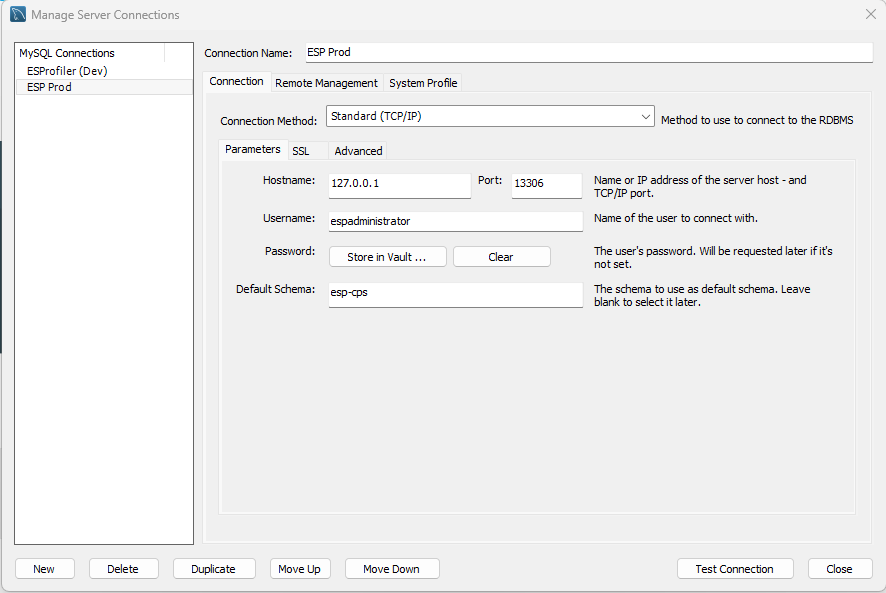
- Click
Server>Data Export. - Select the schema and tables, and choose
Dump Structure and Data. - Under
Export Options, chooseExport to Self-Contained File. - Click
Start Export.
Export CPS twice — once as Dump Structure Only and once as Dump Data Only. The data file is over 2 GB and a single file is awkward to re-run when something fails partway.
PostgreSQL (PgAdmin)
- Open PgAdmin and connect to the production database.
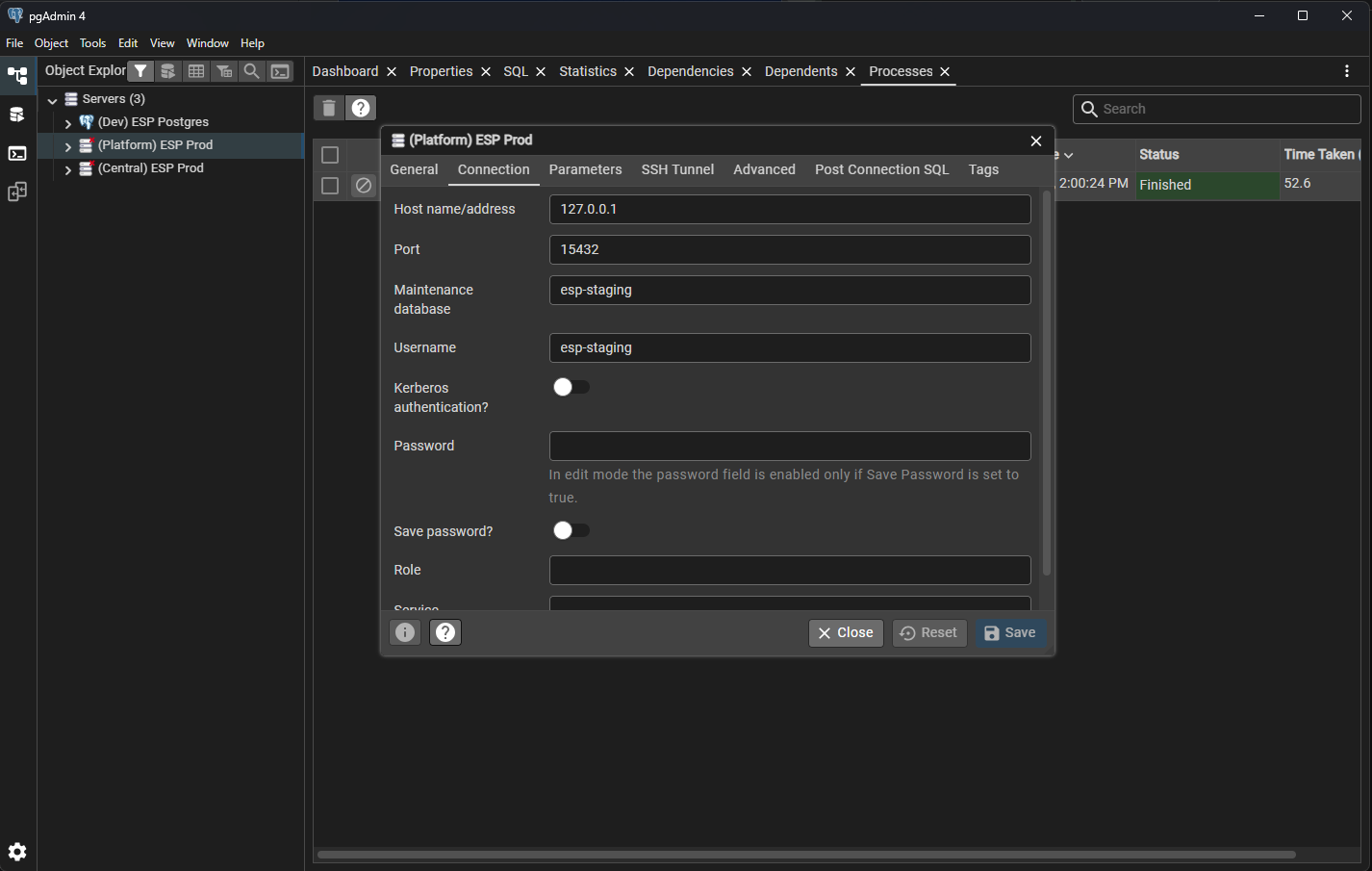
- Right click the database and select
Backup. - Enter a filename, e.g.
PGStagingDump20260901.sql. - Set
FormattoPlainandFile compressiontoNone. - Click
Backup.
Save everything into infra-devenv-pro/dumps/. The folder is gitignored, and the filenames don't matter — each file is identified by reading its header.
Custom format also works, but PgAdmin dumps with its own bundled pg_dump, which is usually newer than the local container and produces an archive it can't read. The refresh works around that automatically; Plain just avoids it.2. Run the refresh
.\esprofiler-dev.bat
Choose Database Refresh. It finds the dumps, asks which tier you want, and does the rest.
- CPS and platform are refreshed by default, including the Postgres vector store.
- CAS is offered separately and is off by default. Including it prunes the data to a single organisation and replaces every password — say yes and it asks what password you want, defaulting to
ESProfiler@123. - Other service schemas are listed and skipped.
Nothing is changed until you confirm, and every prompt has a Go Back.
While it runs:
| Key | Effect |
|---|---|
d | Show debug output |
i | Back to normal output |
q | Stop cleanly after the current step |
Ctrl-C | Stop now |
If a run dies partway — a failed script, a closed laptop, Docker restarting — run Database Refresh again and it offers to resume from where it stopped. It won't re-import the 2 GB dump it already read.
3. Export and publish
.\esprofiler-dev.bat
Choose Export Volume, then the volume and a tag matching the tier you built.
| Volume | Image |
|---|---|
esp-database-8 | ghcr.io/es-profiler/volumes-esp-db-8:<tier> |
esp-postgres | ghcr.io/es-profiler/volumes-esp-postgres:<tier> |
esp-osnode-1 | ghcr.io/es-profiler/volumes-esp-osdata1:<tier> |
You'll need a GitHub token with write:packages and read:packages, with SSO enabled for the es-profiler org. Dev Envi Pro walks you through creating one if the push fails.
Database Refresh prepare the data — never export a volume you made by importing a dump straight in.Building the other tiers
You don't need to import again for each tier. After a refresh, Database Refresh offers Reduce current data to a lower tier, which produces exactly the same result as refreshing at that tier would.
So one import covers all four:
refresh at heavy   ->  export heavy
reduce to partial  ->  export partial
reduce to slim     ->  export slim
reduce to empty    ->  export empty
Reduction only goes downwards. To get back to a bigger tier, import that volume or restore a backup.
Restoring a backup
Before changing anything, the refresh offers to archive your current volumes into infra-devenv-pro/backups/. To roll back, run Database Refresh and choose Restore a pre-refresh backup.
Import Volume can't do this — it pulls from the registry, and these backups are local files. Note a backup covers the whole volume, so restoring reverts every schema.
Troubleshooting
Migrations re-run on first boot and fail. The Liquibase changelog was emptied — it has to survive every reduction. The table name differs by service: DB_CHANGELOG in platform, db_changelog in CAS and CPS, postgres_db_changelog in Postgres.
A schema still looks huge after an empty refresh. Probably stale statistics rather than stale data. Check the rows, not the reported size:
docker exec -i esp-database-8 mysql --user=root --password=ESProfiler@123 -e "SELECT COUNT(*) FROM \`esp-cps\`.vendor;"
platform-api won't start after a Postgres refresh. Production keeps its Postgres objects in an esp_platform schema, while the app's dev profile reads public. The refresh moves everything across after restoring, so this should not happen — but if you imported by hand, you need to do the same:
docker exec -i esp-postgres psql --username=postgres --dbname=esp-platform -c "ALTER EXTENSION \"uuid-ossp\" SET SCHEMA public; ALTER TABLE esp_platform.vector_store SET SCHEMA public;"
Note CREATE EXTENSION IF NOT EXISTS is database-scoped, not schema-scoped, so the app's own migration can't fix this for you — it sees the extension already present somewhere and creates nothing in public.
unsupported version (1.16) in file header. The archive came from a newer pg_dump than the container has. The refresh retries with a matching Postgres image automatically; dumping as Plain avoids it.
Worth knowing: the local Postgres image is currently 15, while production runs 16, so every Postgres refresh is a version downgrade. It works for the vector store, but it's a mismatch worth fixing at the image level rather than working around.
GTID_PURGED can only be set when GTID_EXECUTED is empty. Re-export with --set-gtid-purged=OFF, or delete the SET @@GLOBAL.GTID_PURGED=... line near the top of the dump.
Reference
How a refresh works
Each database goes through six steps:
create temp -> import -> prepare -> verify -> swap -> cleanup
Everything happens in a temp schema (esp-cps__refresh), and the live schema isn't touched until the swap. A failure before that leaves your environment working. Progress is recorded per step in dumps/.refresh-state.json, which is what makes resuming possible.
The verify step checks the result before it goes live: table counts, that every view resolves, that the migration changelog survived, and — on Postgres — that the application's own role can actually read it.
What each tier keeps
Tiers are cumulative. slim is heavy, then partial, then slim, so each script only describes what that step removes. empty is the exception and stands alone.
heavy removes what is meaningless outside the environment it came from, or must never be published: scheduler state, the Spring Batch job repository, audit events, Envers history, AI chat transcripts, uploaded files, the rebuildable search index, and personal contact details.
partial separates what the stack regenerates from what it only needs a sample of:
- Sampled — 5 capability collections with their mappings, the active frameworks at their latest version, and a capped slice of the framework decision cache.
- Kept — insights, central relations, notebooks and user tasks. They're small, and the screens that read them are useless when empty.
- Dropped — deep research, the threat feed, discovery findings, assertions, drafts, product similarity and company enrichment. All re-fetched or re-derived.
slim caps the catalogue itself. It picks a set of vendors, derives their products and features, and removes the rest, so nothing is left dangling. It also narrows what partial sampled.
empty truncates every table except the migration changelog.
CAS is multi-tenant
The CAS export contains every customer's users, groups, policies and SAML certificates. The refresh keeps one (ESPROFILER) and deletes the rest, then replaces every password, clears MFA secrets, and disables external SSO so local login works without an identity provider.
This happens at every tier, including empty.
To keep a different organisation, list them first:
SELECT BIN_TO_UUID(id), name, alias FROM organisations;
and set @ORG_UUID at the top of sql/cas/cas-00-prune-organisation.sql.
Why the data gets rebuilt at the end
Deleting rows doesn't shrink a MySQL table. InnoDB — the storage engine MySQL uses — marks the rows dead and leaves them in the file. So a tier that prunes with DELETE frees almost no disk on its own, and the deleted rows stay readable inside the image you publish.
That's why prepare finishes by rebuilding every table from its live rows (sql/lib/mysql-99-reclaim.sql). It's the single biggest factor in how large the published volume turns out, and the reason the tier scripts shouldn't be run without it.
While it runs, MySQL prints Table does not support optimize, doing recreate + analyze instead for each table — expected, not an error.
Running the SQL on its own
The scripts live in infra-devenv-pro/sql/ and work against a database you imported by hand:
.venv\Scripts\python sql\prepare.py --tier slim
Add --dry-run to see what it would run. Tier definitions live in sql/tiers.py and are shared with Database Refresh, so the two can't disagree about what slim means.
Scrubbing CAS needs a password to hash, which needs the bcrypt package from requirements.txt:
.venv\Scripts\python sql\prepare.py --tier slim --scope cas --cas-password "ESProfiler@123"
Safety guards
Every script refuses to run unless @CONFIRM_LOCAL_COPY is set, which the drivers supply. The platform scripts additionally refuse to run anywhere except the local esp-platform schema — production platform data lives in esp-staging, so a script accidentally pointed down the jump box tunnel stops before doing anything.
Neither driver takes a host or credential argument. They only talk to the local esp-database-8 and esp-postgres containers, so there's nothing to point at production.
LLM Prompts & Langfuse Integration
Step-by-step guide for backend developers on adding new prompts, modifying existing prompts across platform-api and api-cps, integrating with Langfuse and esp-prompts, Quartz reload scheduling, and coordinating Data/AI team benchmarking.
Data Attributes
How we tag platform elements with data- attributes for Cypress E2E tests and PostHog reporting.